
Hailuo AI: Image&Video Maker
MiniMax AIPhotography
3.41.10K Reviews
- Version
- 2.22.1
- Installs
- 10.00M
- Age Rating
- Teen
Screenshots
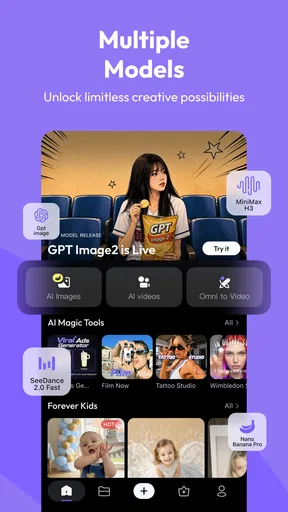
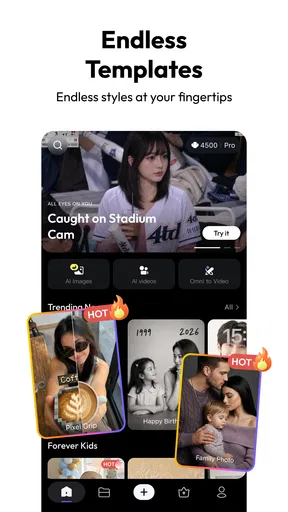
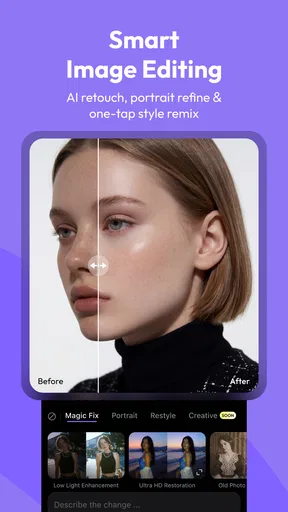
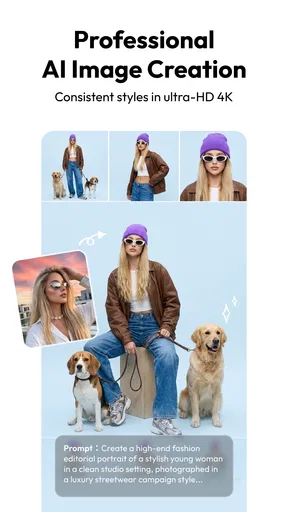
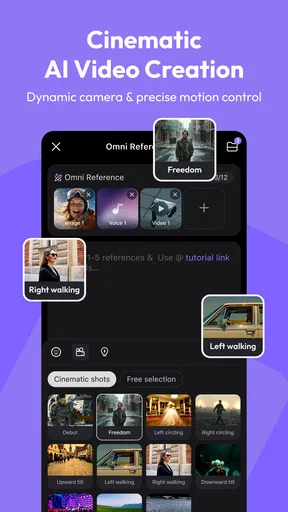
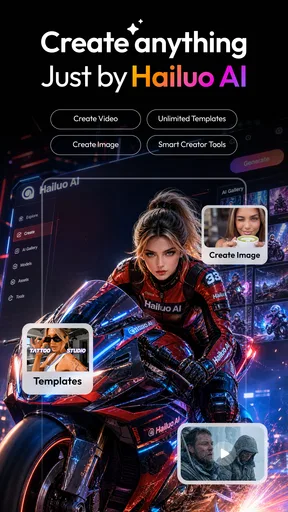
Our Review of Hailuo AI: Image&Video Maker
 Analysis by Appyee
Have you ever wanted to create visuals without needing a degree in graphic design? Enter Hailuo AI: Image&Video Maker, a photography app from MiniMax AI that brings AI-assisted image and video creation to a phone. I tried it with both quick social posts and more deliberate creative tasks. My main takeaway is that it can make the first draft feel much less daunting, but the best results still depend on having a clear idea and choosing your source material carefully.
Who will get the most from it
I’d recommend giving it a look if you want to experiment with visual ideas, assemble a short video, or make an image feel more finished without starting from a blank canvas in a professional editor. It suits casual creators, small community groups, and anyone who occasionally needs a presentable post but does not want to learn a complicated desktop workflow.
It is less compelling if your work depends on precise, repeatable control over every edit. A dedicated photo editor is usually better for careful retouching, while a conventional video editor is the safer pick when exact timing, a detailed timeline, or predictable control matters more than speed. Hailuo’s appeal is the chance to move from an idea to a draft with less setup, not to replace every specialist tool.
Getting Started with Hailuo AI
The first thing that struck me about Hailuo AI: Image&Video Maker is its intuitive interface. Downloading and setting up the app was a breeze. Once installed, I was greeted with a clean and inviting dashboard that made navigation straightforward, even for those who might not be tech-savvy.
Upon opening the app, you’ll find a range of templates designed for various purposes. Whether you’re looking to create an Instagram story, a promotional video, or a simple photo collage, Hailuo AI has got you covered. The variety is impressive, and the best part? You can customize each template to suit your specific needs.
Features That Stand Out
One of the standout features of this app is its AI-powered design tools. These tools allow you to enhance your images and videos with just a few taps. For instance, the AI can automatically adjust brightness, contrast, and saturation to make your visuals pop. It’s like having a personal designer in your pocket!
A more deliberate first-draft workflow
For a stronger starting point, I’d decide what the finished piece needs to communicate before opening a template. A birthday collage, for instance, works better when I first narrow down the photos to a few that tell a story, rather than trying to include every picture. For a short event post, I’d choose the key detail—what is happening, and when—and keep the supporting text brief. That small bit of preparation makes the app’s editing choices easier to judge.
Source material matters, too. I’d pick photos and clips that are already reasonably clear and well lit, then use AI adjustments to refine them rather than expecting an enhancement to rescue a blurry or poorly framed shot. This is a useful trade-off to understand: automated finishing can save time, but it does not replace selecting good material in the first place.
The video editing capabilities are equally impressive. With options to add music, text overlays, and transitions, creating a polished video is easier than ever. Plus, the app supports high-resolution exports, ensuring your creations look professional across all platforms.
Settings and choices worth checking
Before spending time polishing a project, I’d check the output options and make sure the result suits where it will be shared. A video intended for a quick social post has different needs from a clip someone will watch on a larger screen. When the app offers a choice of export quality, higher resolution can make sense for a finished piece, while a lighter file is often more practical for a quick preview or sharing in a message.
I’d also give text and music a final, separate review. Text can be readable in the editor but feel crowded once it sits over a busy image, so I check that it remains clear against the background. Music should support the mood without overwhelming the information people need to hear or read. These checks are simple, but they help avoid a common disappointment: a project that looks good while editing and less effective when viewed as a whole.
Using Hailuo AI in Real Life
I decided to put the app to the test by creating a promotional video for a local event. The AI-assisted tools made it simple to stitch together clips, add background music, and include informative text overlays. The entire process took less than an hour, and the final product looked like it had been crafted by a pro.
Another time, I used Hailuo AI to create a photo collage for a friend’s birthday. The customizable templates and editing options allowed me to craft something truly unique. My friend loved it, and I felt like a digital Picasso!
Habits that make repeat projects easier
For recurring posts, I’d treat the first finished design as a visual reference rather than rebuilding the look from memory. Keeping the same kind of imagery, concise wording, and overall mood from one post to the next helps a small business or local group look consistent, even when each project is made quickly. I would still review each new result independently: a layout that works for an announcement may not suit a celebratory collage.
Another time-saver is to separate creation from checking. I’d first assemble the visuals and text, then play the video from beginning to end without stopping to tweak every transition. Watching it as a viewer makes awkward pacing or a hard-to-read overlay more obvious. For a still image, I’d step back from the editing controls and ask whether the main subject is clear at a glance. These are not special app features; they are practical habits that make any creative tool easier to use well.
Where it differs from familiar editors
Compared with a conventional photo editor, Hailuo’s attraction is the guided, template-led route into a finished visual. That can be more inviting when I have a purpose but no editing plan. A traditional editor remains preferable when I want detailed adjustments or to work carefully on a single photograph. In the same way, a timeline-focused video app is a better fit for intricate sequencing, while Hailuo makes more sense when I want a presentable short piece without building every element from scratch.
That difference also explains why I would not use it for every job. If a client needs exact brand placement, consistent color matching, or fine control over a complex edit, I’d choose a tool designed around those demands and check the result carefully. If I’m making an informal announcement or a personal project, the faster starting point matters more than having a deep set of manual controls.
Why You Should Give It a Try
What sets Hailuo AI apart from other editing apps is its user-friendly design combined with powerful features. Whether you’re a social media influencer, a small business owner, or just someone who loves to dabble in creative projects, this app has something for everyone.
The app is available for both Android and iOS, making it accessible to a wide audience. Regular updates ensure that you’re always equipped with the latest tools and features. Plus, the developers seem committed to listening to user feedback, which is always a good sign.
Practical expectations before you start
Hailuo AI is free to download, rated for Everyone, and has an average rating of 4.2 from around 60,000 ratings, with more than five million installs. In-app purchases range from $5 to $767.99 per item, so I’d check what a purchase offers before committing rather than assuming every creative option is included at no cost. The current version is 1.37.2, and it requires Android 7.0 or later.
A natural question is whether it is only for video. The app is positioned for both image and video creation, so it can serve people who want to make a still graphic as well as those putting together a short clip. Another practical question is whether AI removes the need for editing judgement. In my view, no: it can help with the process, but choosing suitable images, checking text, and reviewing the final piece remain part of making something that feels intentional.
Final Thoughts
In a world where visual content is king, having a tool like Hailuo AI: Image&Video Maker at your fingertips is invaluable. It simplifies the creative process, allowing anyone to produce professional-quality content with ease. Whether you’re new to content creation or a seasoned pro, this app is worth checking out.
If you’re ready to up your content game, give Hailuo AI a try. Download it today and unleash your inner artist!
My verdict after using it
For me, the strongest reason to try Hailuo is the balance between a guided workflow and enough room to shape a result around a real occasion. It is a sensible choice for quick personal visuals, event announcements, and early creative drafts. I’d skip it when a project needs meticulous control or when every export detail must follow a strict production brief. Used with good source images, a simple plan, and a careful final review, it can make everyday image and video creation feel approachable without pretending that automation does all the creative work.
Privacy and Permissions
See what permissions an app requests and how it handles your data.
- Photos/Media/Files
- read the contents of your USB storage, modify or delete the contents of your USB storage
- Storage
- read the contents of your USB storage, modify or delete the contents of your USB storage
- Camera
- take pictures and videos
- Wi-Fi connection information
- view Wi-Fi connections
- Other
- view network connections, change network connectivity, full network access, control vibration, prevent device from sleeping, Google Play license check, read Google service configuration
Verdict
Strengths of Hailuo AI: Image&Video Maker
- Intuitive user interface for easy navigation.
- Wide range of templates for quick creation.
- High-quality output for both images and videos.
- Regular updates with new features added.
- Strong community support and tutorials available.
Limitations of Hailuo AI: Image&Video Maker
- Requires subscription for premium features.
- Occasional bugs in video rendering.
- Heavy on device storage space.
- Limited customization options in free version.
- Needs strong internet connection for smooth operation.
Similar Picks in This Category
View All
Google Photos
Google LLC4.4

Gallery
Google LLC4.2

Picsart AI Photo Editor, Video
PicsArt, Inc.3.9

B612 AI Photo&Video Editor
SNOW Corporation4.1

BeautyPlus-Selfie Photo Editor
PIXOCIAL TECHNOLOGY (SINGAPORE) PTE. LTD.4.5

Remini - AI Photo Enhancer
Bending Spoons4.1
Frequently Asked Questions
What is Hailuo Al: Image&Video Maker?
Hailuo Al: Image&Video Maker is a creative application designed for both Android and iOS platforms. It allows users to generate high-quality images and videos using advanced AI technology. The app is ideal for content creators seeking to enhance their visual projects with minimal effort and maximum creativity.
How does the AI technology in Hailuo Al work?
Hailuo Al utilizes cutting-edge AI algorithms to analyze user input and generate visually appealing images and videos. The AI processes various parameters such as style, color, and theme to produce customized content. This technology ensures that each creation is unique and tailored to the user's preferences.
Are there any costs associated with using Hailuo Al?
Hailuo Al offers a free version with basic features, making it accessible for everyone. However, for users seeking enhanced capabilities, such as premium templates and advanced editing tools, there is a subscription option available. This ensures that both casual users and professional creators can benefit from the app.
What are the system requirements for Hailuo Al?
The app is compatible with most modern Android and iOS devices. It requires a stable internet connection for optimal performance, especially when using AI-driven features. Users should ensure their device has sufficient storage space and the latest OS version to enjoy a smooth and seamless experience.
Can I share my creations directly from Hailuo Al?
Yes, Hailuo Al supports direct sharing of your creations to various social media platforms, email, and messaging apps. The app provides easy-to-use sharing options, allowing you to showcase your projects instantly with friends, followers, or clients, making it convenient for content distribution.
